
Cannabis
Creative Fatigue: Replace Ads Before Performance Drops
The signals that tell you a winning creative is dying, and the testing cadence that keeps CPA flat.
Read MoreA Practical Breakdown of Meta’s Restrictions, Domain Issues, and Purchase Tracking for Cannabis Brands.
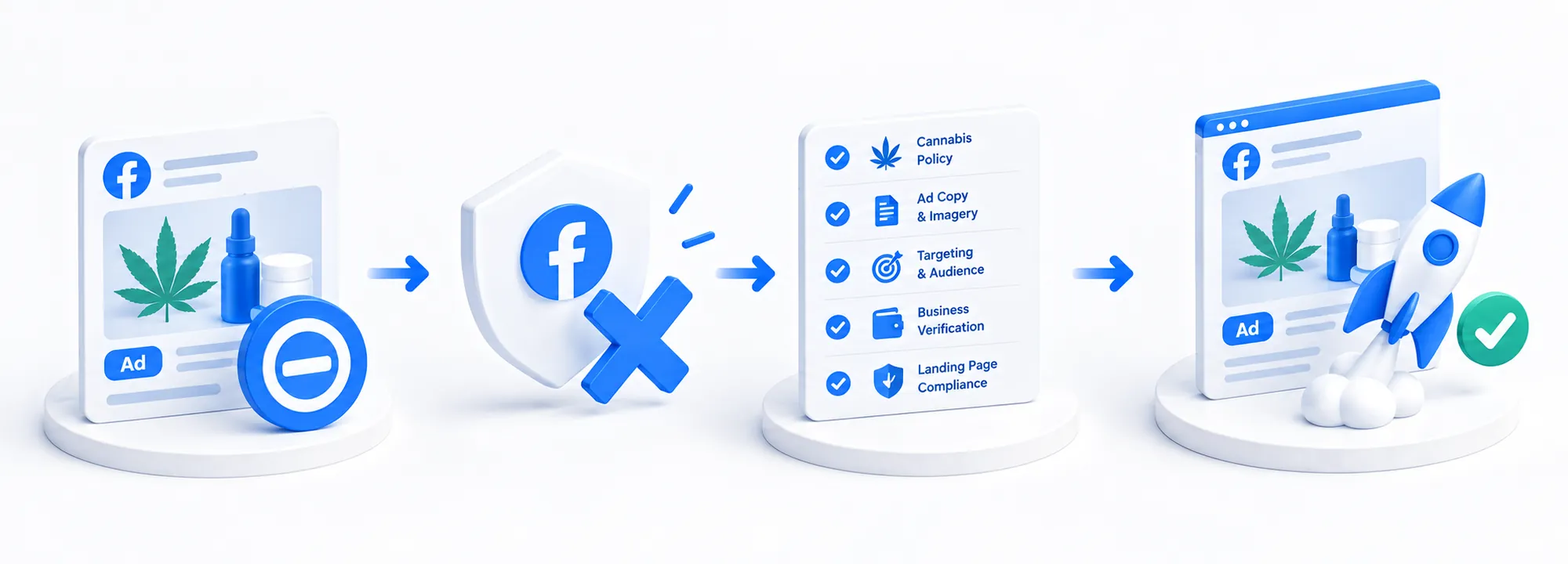
The ad was rejected. New creative isn’t helping. Purchases are showing up in the store but aren’t appearing in Ads Manager. Ad performance is inconsistent. These situations can easily be lumped together into a single problem: “Facebook is blocking cannabis ads.” However, they need to be addressed and resolved in different ways.
Below, we’ll break down how to distinguish between a product promotion ban and an ad account restriction, website issues, tracking errors, or a lack of positive ad results—and avoid wasting your budget on repeating a campaign that isn’t working.
Quick answer
Meta prohibits ads promoting the sale of THC products and cannabis containing psychoactive components. Different terms apply to certain CBD and hemp products. Therefore, you should first verify the eligibility of a specific offer, then check the ad, website, account, and event tracking. Successful moderation alone does not prove compliance with the rules.
The legality of selling a product and an advertising platform’s policies are two separate issues. Even if a store is legally permitted to sell products within its jurisdiction, that does not override Meta’s restrictions. The rules for CBD cannot be automatically applied to THC products.
For certain non-edible CBD products in the U.S., there is a process involving LegitScript certification and written permission from Meta. Not only are the relevant products certified, but the website is as well. This is not a universal permit for any cannabis store.
Cannabis advertising falls into a so-called “gray area”—it is not entirely permitted, but there are conditions under which it can be effective and profitable. You need to understand Meta’s moderation policies, know how to create ads that will pass moderation and remain active for an extended period, and have the infrastructure in place to install the Facebook pixel without mentioning the domain. These skills are characteristic of highly qualified agencies; we won’t describe every step, but we’ll simply introduce you to what you should pay attention to when launching cannabis ads on Facebook.
Meta evaluates more than just the image: the review process may also cover the text, targeting, and landing page. Therefore, replacing the creative won’t solve the problem if the issue lies elsewhere.
Your domain must either comply with Meta’s rules or be effectively disguised.
Your creatives must either have a veiled meaning and contain no direct references to cannabis products, or they must be created using tools designed to disguise ad creatives.
You should also avoid direct mentions of cannabis in the text, as this can also trigger ad campaign blocks; it’s a very fine line that every brand wanting to run cannabis ads on Facebook needs to navigate.
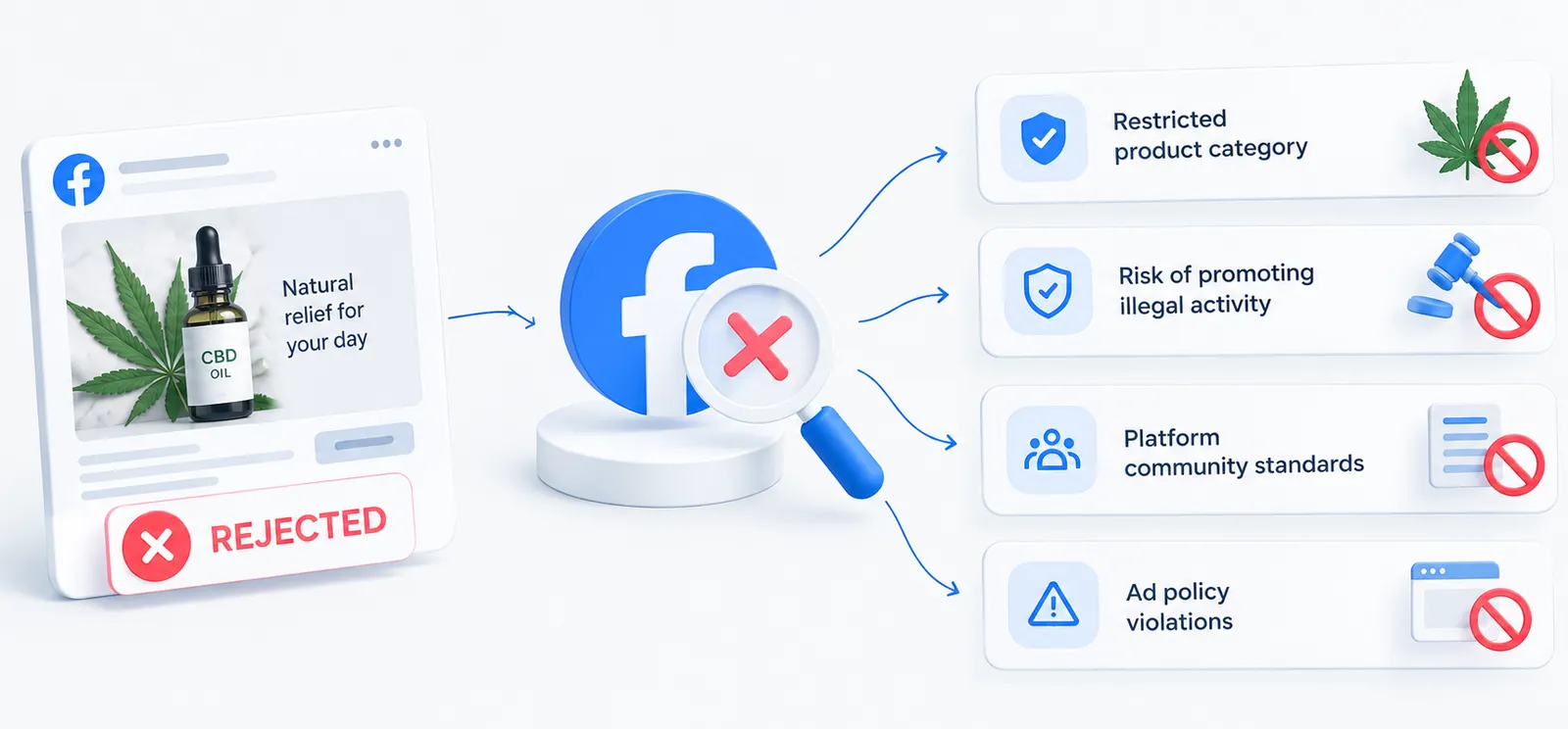
For a compliant ad, check three elements: what is depicted, what the text promises, and where the ad leads. The product name, packaging, and captions must match the actual offer; claims about product properties must be substantiated.
Don’t turn the moderation process into a search for a “magic word.” Removing the word “cannabis” does not make a prohibited offer permissible. When testing, change one significant element at a time to understand what influenced the result. However, such ad creatives will often suffer from poor performance in the first few months of ad delivery, until the algorithm has enough data to identify your target audience.
As a highly qualified agency, we use a method of “masking” ad creatives that allows us to include direct mentions of cannabis and display products directly within the creative. This approach has very high performance metrics, which is why we use it. You can see examples of our ad creatives in our case studies.
The absence of the “Purchase” event in the report does not necessarily mean the Pixel is blocked. First, you need to distinguish between three scenarios: the event isn’t being sent, its processing is limited, or it was received but not attributed to an ad.
For sources authorized to send the relevant data, check the following:
Also check the data source restrictions: Meta may limit the transmission of specific events or all events in certain regions. If transmission is completely blocked, the problem isn’t limited to the code implementation. Connecting via CAPI does not grant separate permission for prohibited data transmission.
The Pixel and server-side integration solve technical issues but do not override platform rules.
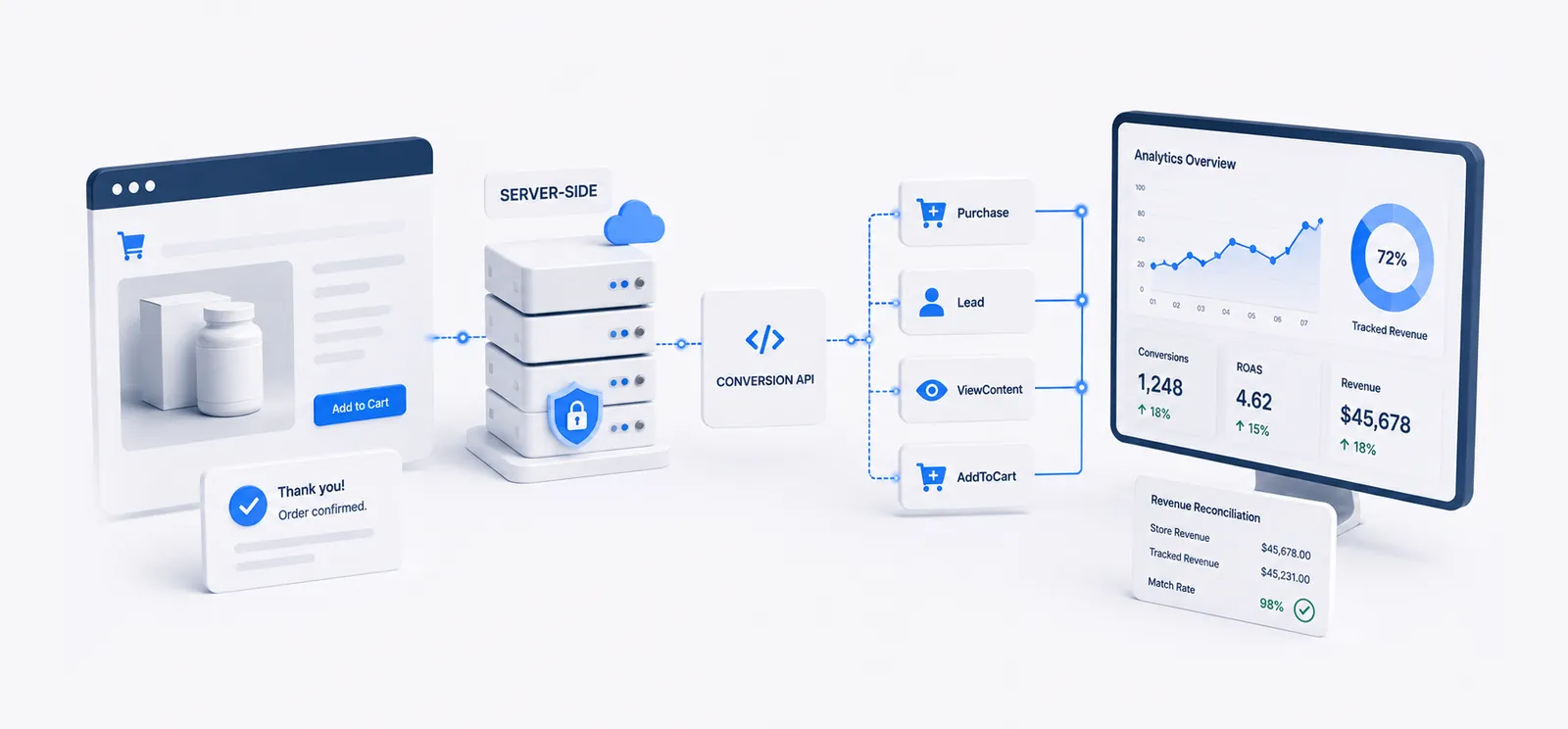
If, after installing the pixel on your website, you stop receiving events in the pixel after a few days and see a notification stating that the pixel has restricted data collection from your domain, this means your website is violating Meta’s moderation policies and you will not be able to run ads directly on your website, since the “purchase” event simply won’t be sent from your website to the Facebook pixel.
The only solution that will allow you to run ads is to send events directly from your website’s backend to the Facebook pixel via server-side events. This requires some technical knowledge to configure event sending without mentioning your website’s main domain.
If you’ve successfully set up all the previous steps related to ad accounts, creatives, the pixel, and the domain, the next step is to scale up your ad campaigns and pause those that aren’t performing.
For viable campaigns, it makes sense to increase the budget after reviewing the data and metrics: how many purchases are being recorded, how much it costs to acquire a customer, and what remains after expenses. ROAS shows the ratio of attributed revenue to ad spend, not net profit.
Our approach to assessing readiness: establish an acceptable CPA, an evaluation period, and a stop condition. Then adjust the budget and monitor the results. There is no one-size-fits-all rule like “increase by 20% every day” that applies to all stores.
In some cases, when CPA metrics are very strong, it’s better to duplicate the campaign and increase the budget by 2–3 times to get the most out of that high-performing creative. We often use this approach because our experience allows us to be confident that our ad creatives, combined with our ad masking infrastructure, will deliver the ROAS metrics we need.
Key takeaway
First, determine exactly what is being restricted. Only then should you decide how to fix the specific problem.
The fact that they are sold legally does not override Meta’s ban on advertising them. If you don’t know how to disguise your ad campaigns, they will be blocked in most cases.
Passing moderation once does not prove that an ad complies with the rules — reviews can be repeated and an ad can be blocked later. A competitor’s ad may also differ in its text, targeting, landing page or account history, so compare the whole setup, not just the image.
Only if the domain itself was the reason for the restriction. A new domain does not make a prohibited offer permissible: it must either comply with Meta’s rules or be effectively disguised, otherwise it will be restricted just like the old one.
No. The Pixel and server-side integration solve technical issues but do not override platform rules. If Meta has restricted data collection from your domain, events have to be sent from the website’s backend without mentioning the main domain — and purchases still need to be checked for double counting between the Pixel and CAPI.
Keep the meaning veiled: no direct references to cannabis in the image or the text, and change one significant element at a time when testing. Expect weaker results in the first months while the algorithm learns. We use a creative-masking method that lets us show the product directly — you can see examples in our case studies.
Start with three questions: Is the offer approved? What exactly is restricted? And can the purchase data be trusted? This check is more useful than yet another creative swap without understanding the reason behind it.
HighRiskScale helps brands analyze their advertising infrastructure, creatives, and tracking as a single system. You can start with an audit of your current project.
Cannabis
The signals that tell you a winning creative is dying, and the testing cadence that keeps CPA flat.
Read More
Meta Ads
What to Check When Events Are Lost
Read More
Meta Ads
Common reasons approved ads stop delivering and what to do about it
Read More
E-commerce
Understanding the metrics that reveal the true performance of your e-commerce campaigns.
Read MoreGambling
Structure, claims and CTA patterns that convert paid traffic without inviting a domain restriction.
Read MoreCrypto
The order of operations we follow to get campaigns live again after a business manager restriction.
Read MoreTell us about your product, website and current advertising challenges.